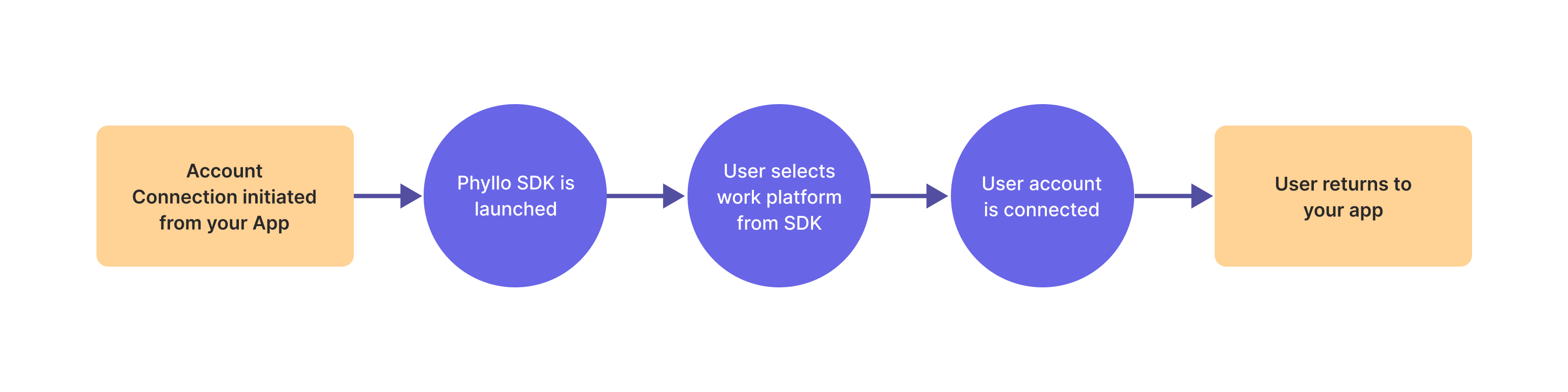
Connect SDK Flow
Connect SDK is used to connect creator's work platforms with the InsighIQ API. Below is an overview of the connection flow and how it can be customized to streamline the user experience.
Connect the work platform account
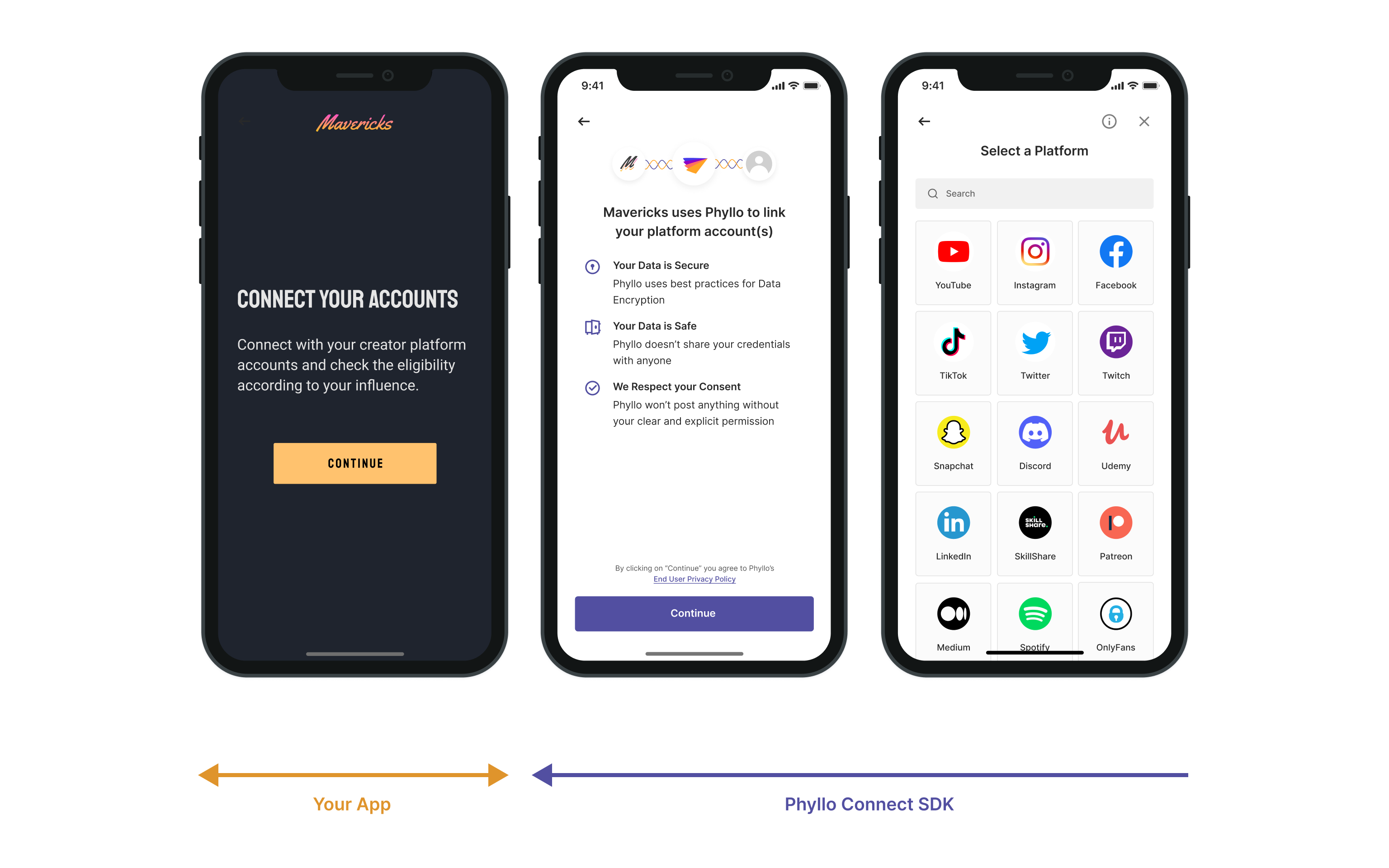
The standard connection flow creators follow to connect their work platform accounts:
The creator consents to terms for account access and data sharing.
The creator searches for the work platform to connect.
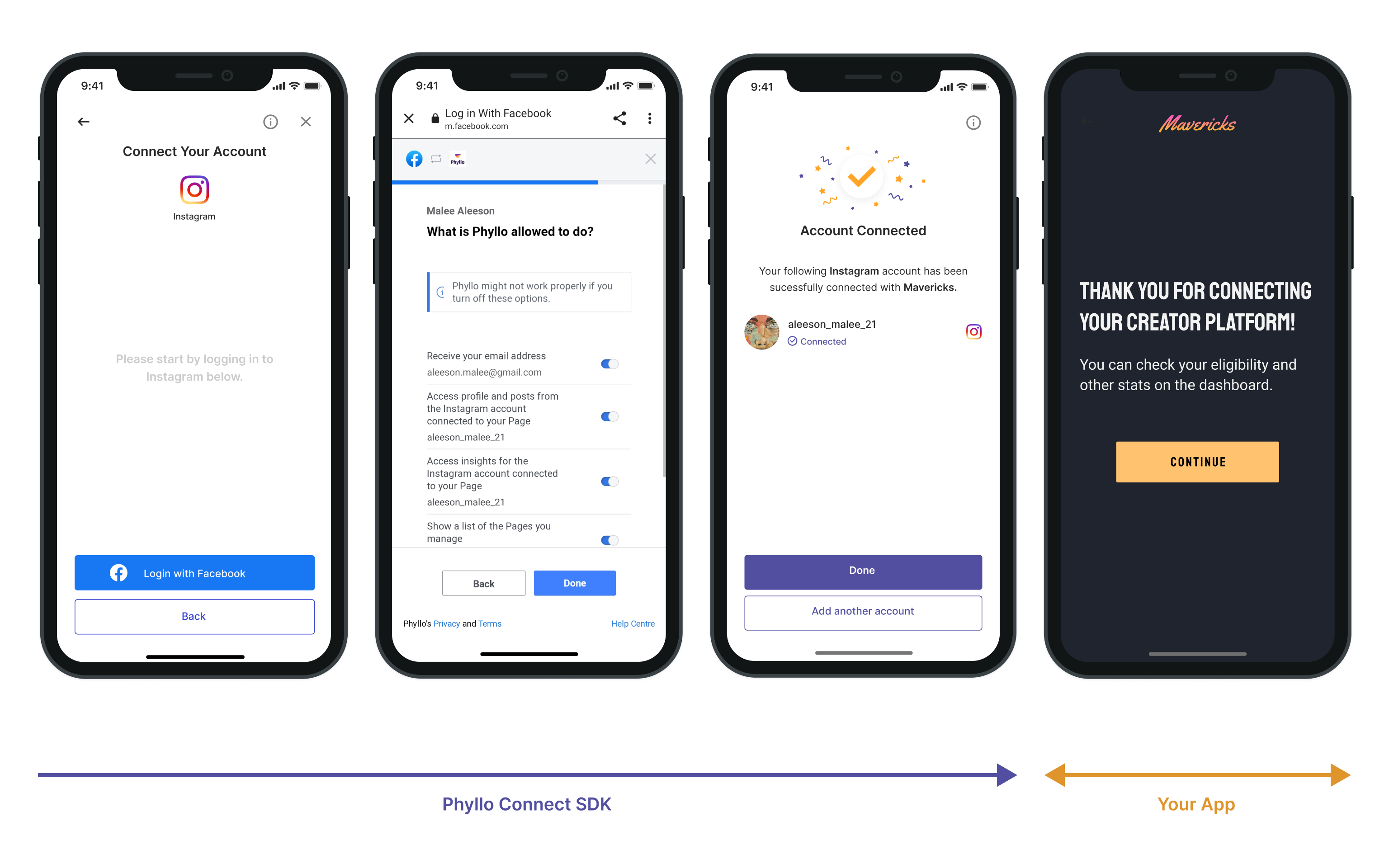
The creator enters credential for authentication to connect the work platform.
If applicable, the creator enters the multi-factor authentication.
The creator consents to additional permissions for better data sharing.
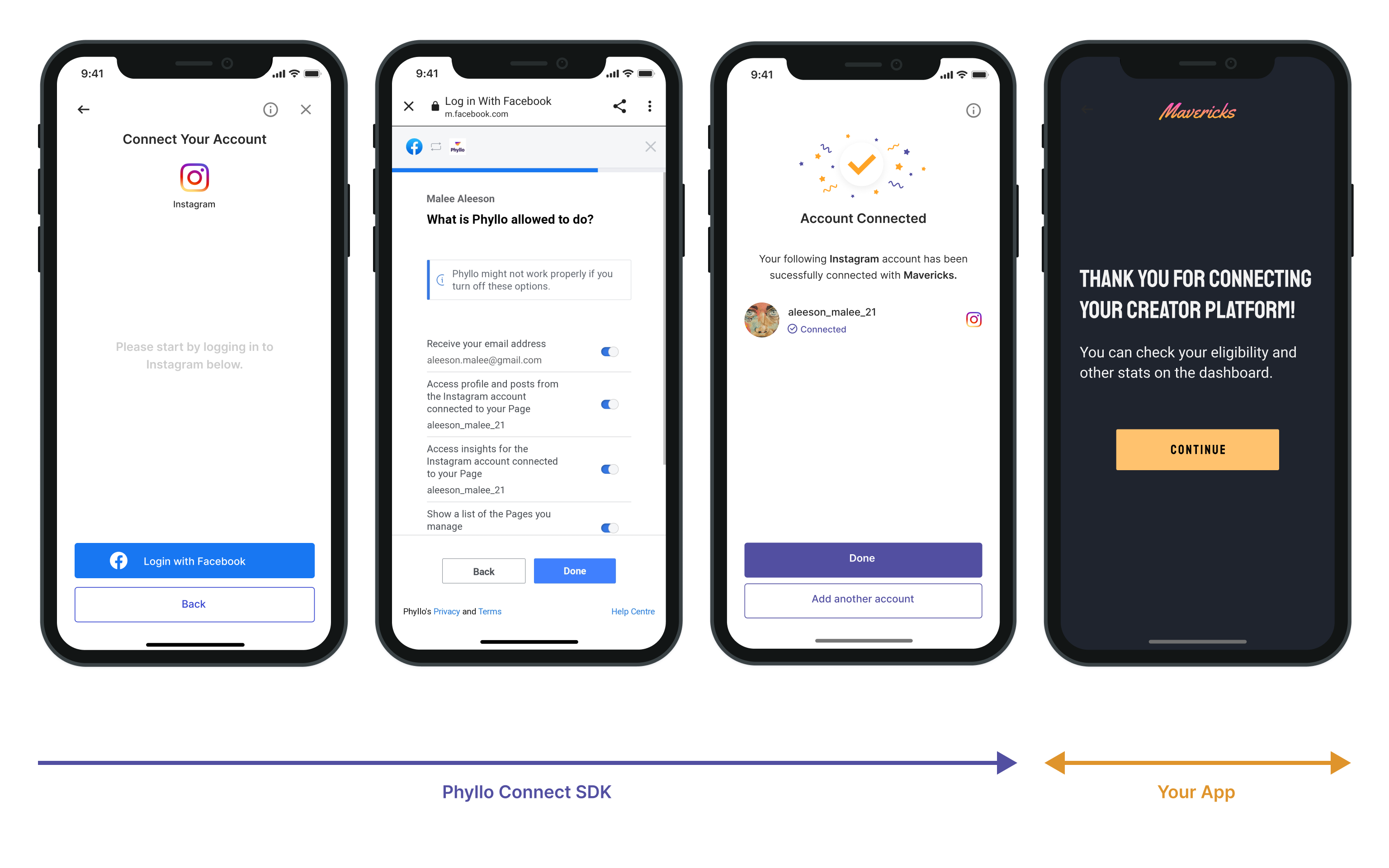
A success message is displayed and the creator can view the recently connected work platform and accounts.
The creator can connect multiple accounts within a single work platform or link accounts across different work platforms.
Preselecting a work platform
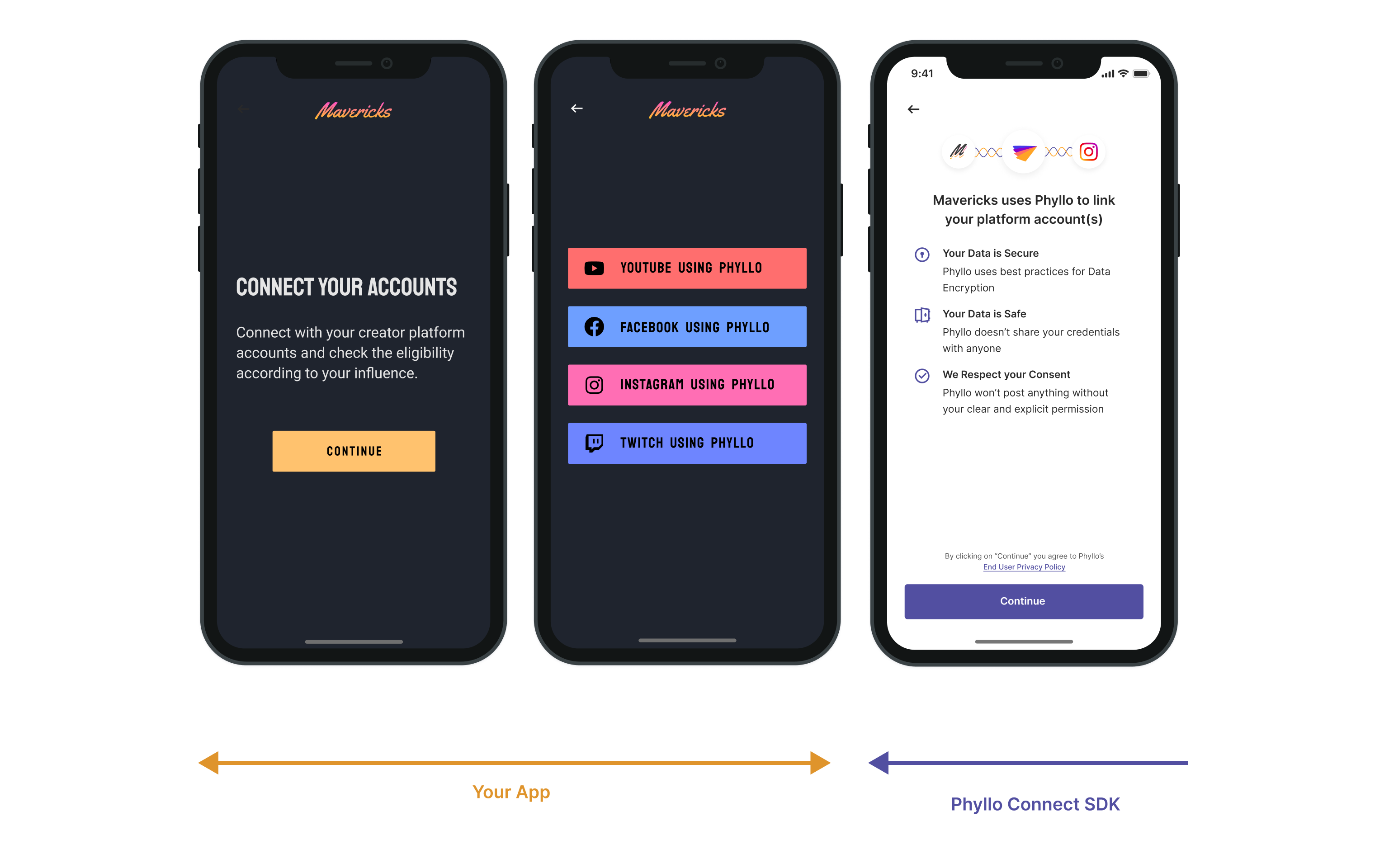
To simplify the connection process or limit the creator to only connect with specific platforms, you can preselect a work platform for them. The flow for preselected platforms is as follows:
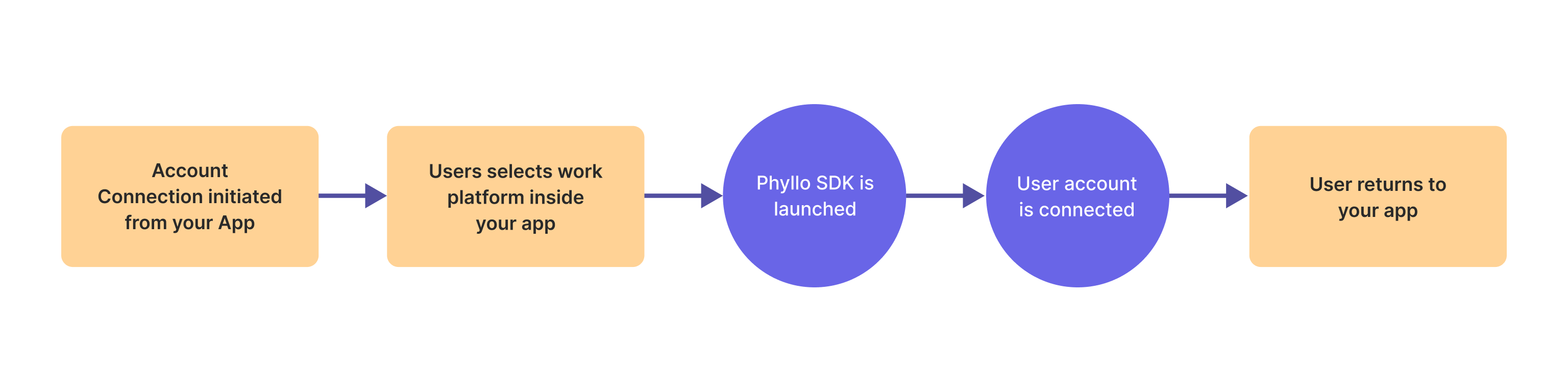
The steps remain the same as the standard flow for connecting the work platform account, except the platform selection step (step 2) is replaced with the predefined work platform provided during initialization.
Next Steps
You can get the creator details via InsightIQ APIs when the creator has connected their work platform account.