
Configuration
The InsightIQ SDK is designed to be highly customizable, ensuring a seamless and cohesive experience for your creators. Our customization options allow you to make the SDK feel like a natural part of your app or website while maintaining flexibility for your specific needs.
Connect SDK Customization
InsightIQ SDK offers several UI customization options to align its appearance with your brand and provide a familiar experience for your users.
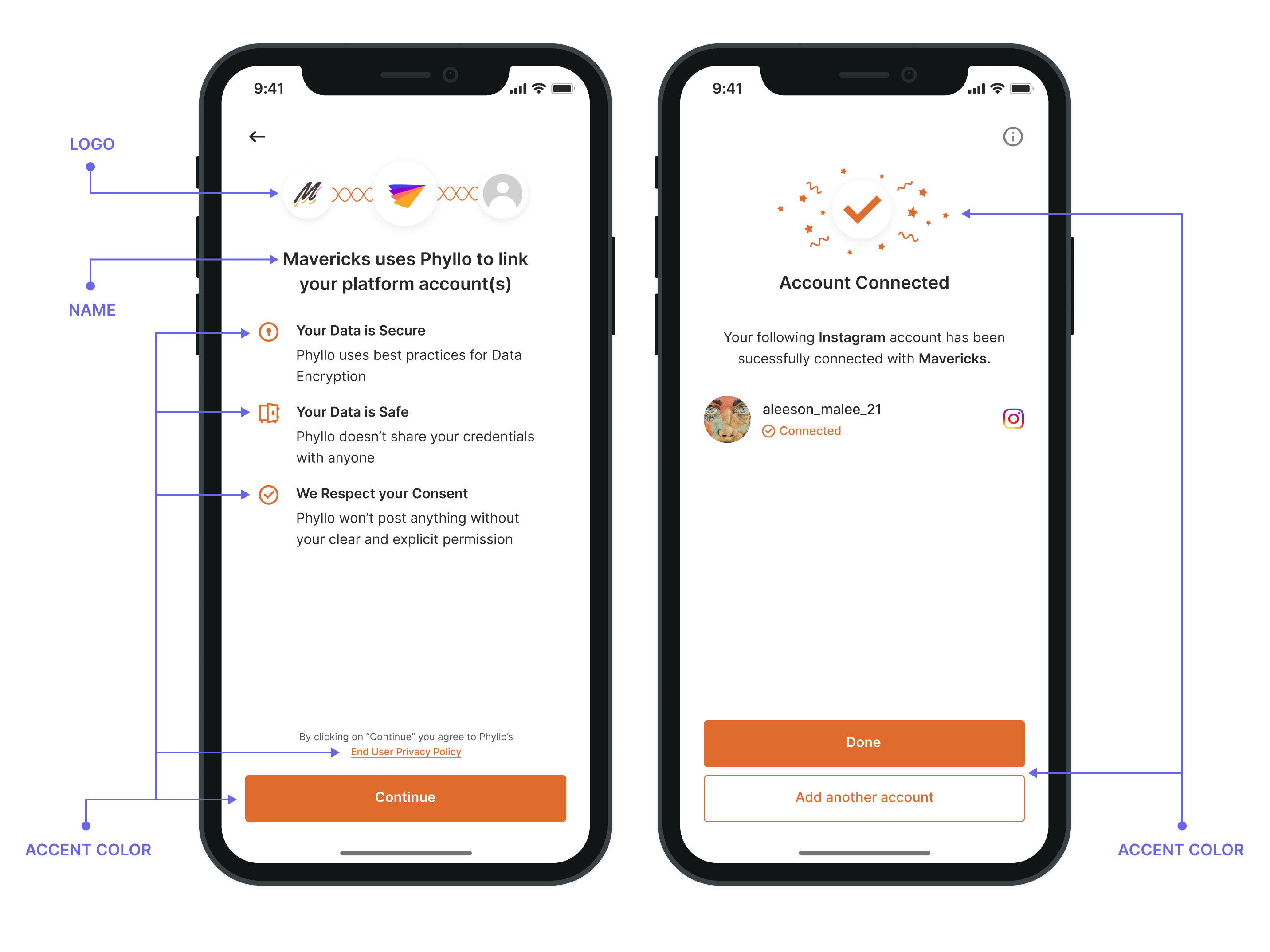
Explore the customization features available for the Connect SDK:
Accent color: Set the accent color of our SDK to match your theme colors.
Logo: Display your company or brand logo on the consent page, indicating who will have access to the creator's data.
Name: Display your company or brand name on the consent page indicating creators whom they are granting access to. You must pass the desired name as the
client_display_nameparameter to configure the name while initializing the SDK.
Restricting multiple accounts connection in single flow
To restrict creators to connecting only one account at a time:
Set the
singleAccountparameter totruewhen initializing the SDK.By default, this parameter is set to
false, allowing creators to connect multiple accounts within the same flow.
Restricting to a specific Work Platform
To restrict creators to only connect to specific work platforms:
Pass the optional
work_platform_idparameter while initializing the SDK to preselect the desired platform.Retrieve valid
work_platform_idvalues using the Retrieve all work platforms API.
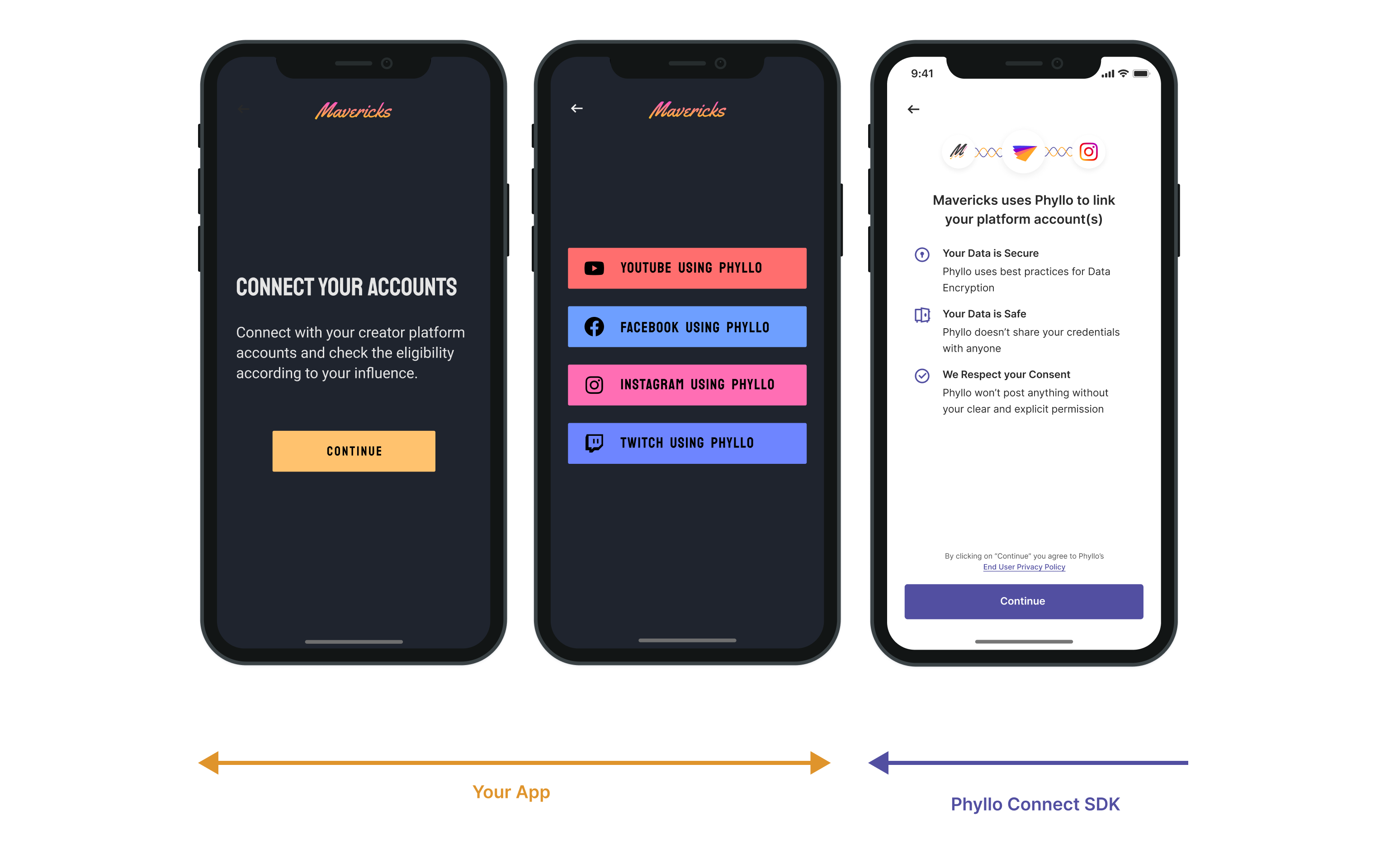
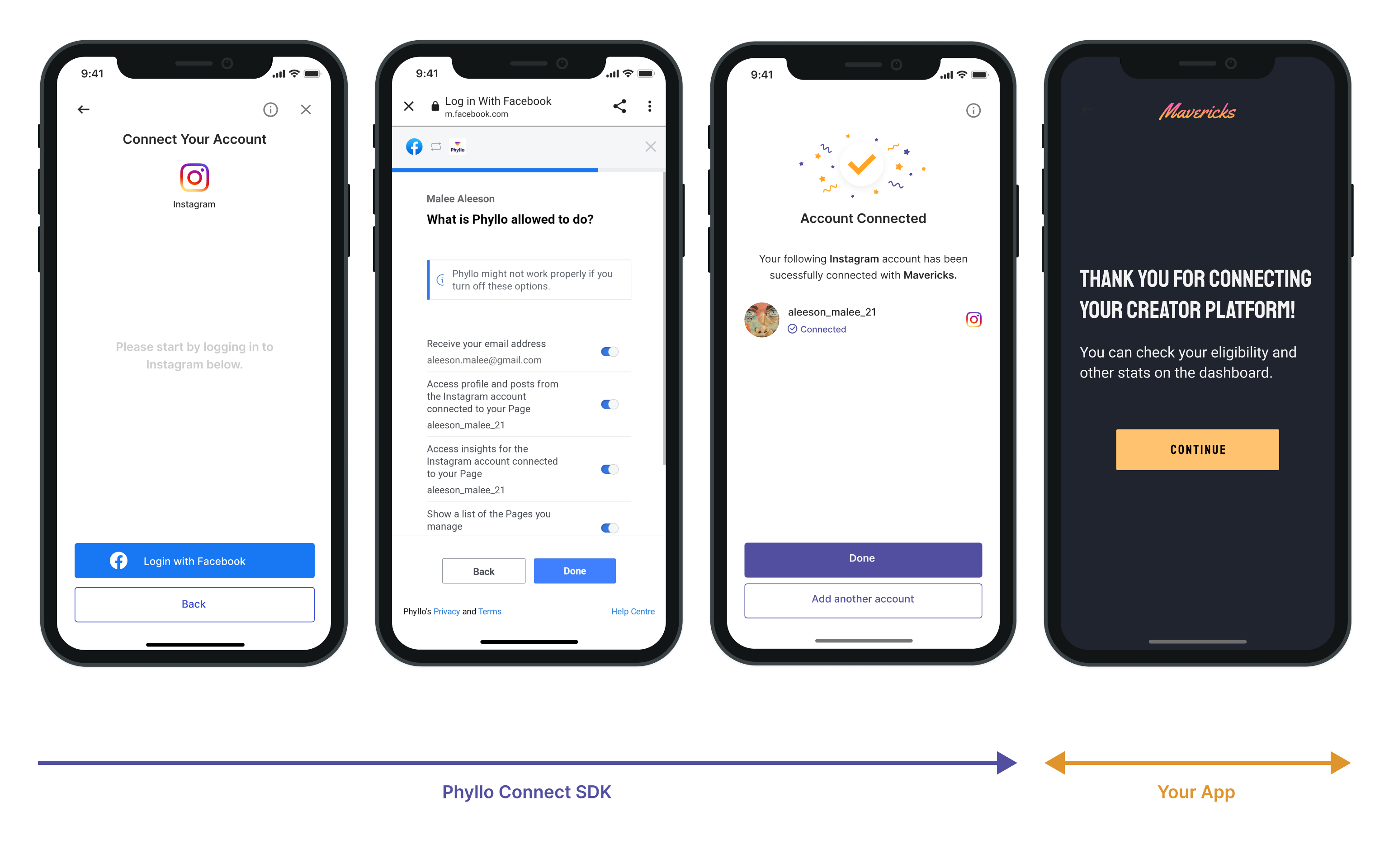
You can also use this to create platform-specific buttons such as "Connect to YouTube" or "Connect to Instagram" instead of showing a general "Connect your accounts" button for a streamlined experience.